
blog
How Nonprofits Can Use Givelink for Holiday Campaigns
Subtitle: The most giving-dense season of the year — and how transparent giving turns holiday donors into year-round supporters instead of one-time givers.

Antonis Politis |
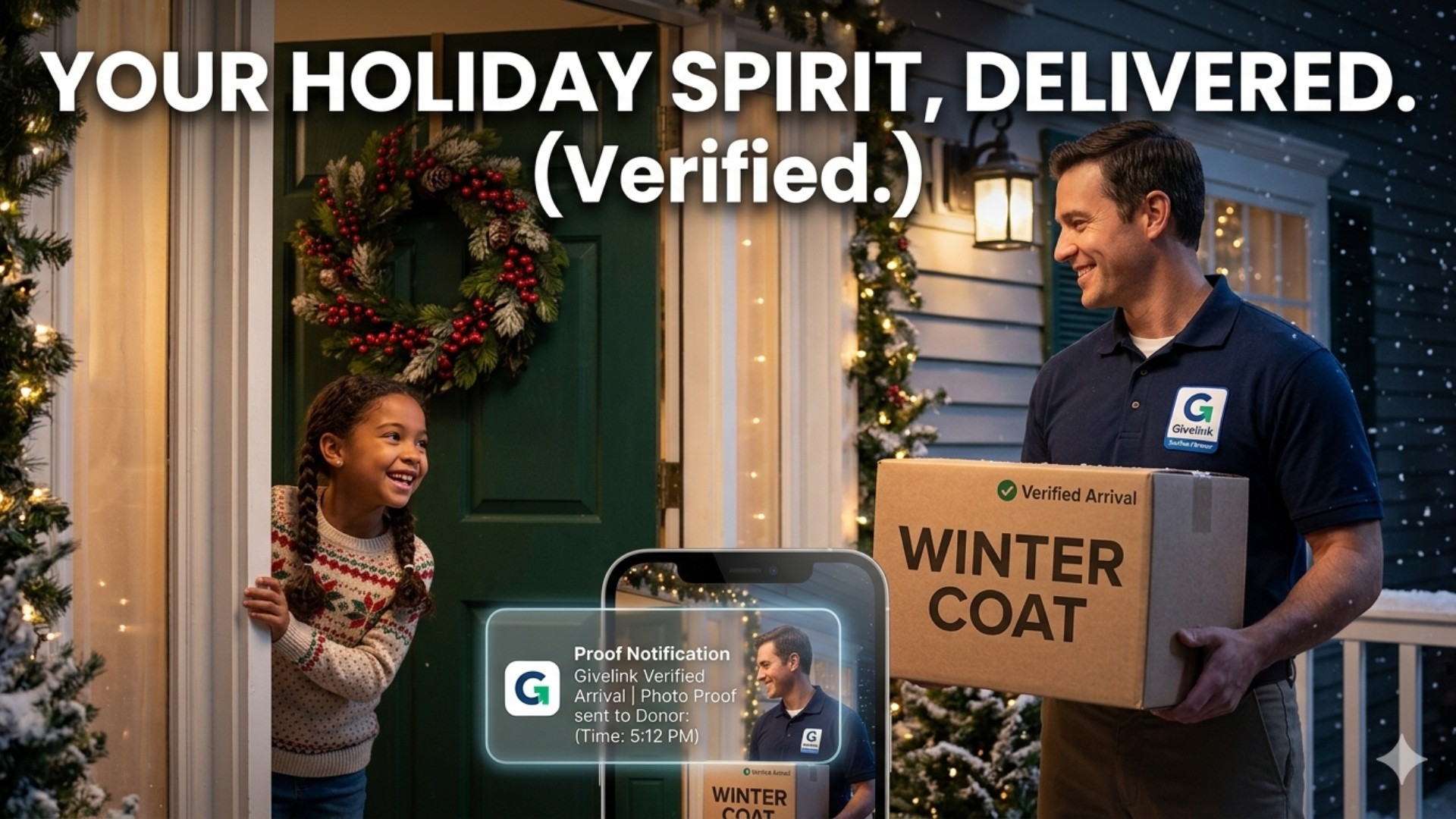
How Nonprofits Can Use Givelink for Holiday Campaigns
The most giving-dense season of the year — and how transparent giving turns holiday donors into year-round supporters instead of one-time givers.
The November–December giving season accounts for roughly 30% of annual charitable donations in the U.S. For most nonprofits, it also produces the highest first-time donor churn of the year — because holiday giving campaigns are optimized for volume, not retention. Donors who give in December and never hear specifically what their gift became are the same donors who aren't there in February. Givelink, a Transparent Giving Platform, gives nonprofits the tools to run holiday campaigns that produce year-round retention: specific wishlist items, delivery photos in January, and a donor relationship that doesn't end with a receipt. Here's the holiday playbook.
Key Takeaways
- 30% of annual giving happens in November–December — the highest-volume and highest-churn period.
- Holiday donors churn fast when they receive no specific proof of impact.
- Givelink's wishlist model converts holiday donors into recurring givers via photo proof.
- Update your wishlist for the season — winter-specific items convert better in November–December.
- Plan so delivery photos arrive in January — that's the retention moment.
Why holiday giving campaigns fail to retain donors
The holiday giving pattern is well-documented: a surge of first-time and lapsed donors give in response to emotional year-end appeals, and most of them don't come back. The Fundraising Effectiveness Project's 2025 data showed first-time donor retention nationally below 20% — and holiday-acquired donors are disproportionately first-time givers.
The failure mode is predictable: donor gives in December, receives a receipt and a thank-you email, and hears nothing specific until the next November appeal. The connection lasts 30 days.
Transparent giving changes this. A holiday donor who gives in November, receives a January delivery photo, and sees exactly what their gift became has a connection that doesn't expire with the season.
The holiday campaign playbook on Givelink
October: Update your wishlist for winter
Winter creates specific, seasonally relevant needs for most nonprofits:
- Homeless shelters: Warm socks, gloves, hand warmers, thermal underwear, heavy blankets
- Food banks: Holiday meal components, shelf-stable protein, comfort foods
- Family shelters: Children's gifts and small toys, holiday meal items, warm clothing
- Senior services: Winter clothing, warm comfort items, holiday-appropriate snacks
- Youth programs: Holiday art supplies, activity kits, seasonal crafts
Updating your wishlist to reflect these seasonal needs before November makes it feel current and relevant to holiday-minded donors. A wishlist showing thermal socks and hand warmers in November tells donors immediately what their holiday giving will produce.
November: Share your wishlist everywhere
Holiday giving season peaks the week before Thanksgiving and runs through December 31. Your Givelink profile should be everywhere in this window:
- Email newsletter: Lead with your updated wishlist link, not a general appeal. "Here's exactly what we need this winter" converts better than "please donate."
- Social media: Post your wishlist link with a specific item highlighted. "We need 200 pairs of thermal socks before December 15" is more compelling than "support our winter campaign."
- Website: Embed or prominently link your Givelink profile from your homepage and Donate page. The In-Kind Donation Button should be live.
- Donor communications: Every year-end stewardship message should include the wishlist link.
December: Give donors the "buy as a gift" frame
Holiday giving is often gift-motivated — donors give to causes in lieu of gifts, or in celebration of something. Position giving from your Givelink wishlist as the giving equivalent of a holiday purchase: specific, deliverable, and proof-generating.
"Give the gift of hygiene supplies for shelter residents this December" is more concrete than "make a year-end gift." It connects the donor's holiday giving motivation to your specific operational need.
January: The retention moment
This is where the holiday campaign either succeeds or fails as a retention strategy.
Givelink's biweekly fulfillment cycle means donations made in November and December produce delivery photos in December and January. These photos are the retention moment — the first point where the holiday donor sees what their gift became.
What to do in January:
- Upload delivery photos promptly and with care. Write captions that describe what arrived and who it helps.
- Include a short personal note in the dashboard message thanking the donor specifically for their holiday giving.
- Update your wishlist for the new year and share the update with holiday donors. "Our winter supplies arrived. Here's what we need next."
The donor who received a holiday receipt in December and a delivery photo in January is significantly more likely to give again than one who received only the receipt.
According to Givelink data (2026), donors who receive delivery photos give 60% more times per year than traditional donors. For holiday-acquired donors, the January photo is the first step in that loop.
Why this matters in 2026
The holiday giving season is under pressure from two directions: donor fatigue (too many appeals, not enough differentiation) and retention failure (high volume, low loyalty). Organizations that convert the holiday surge into year-round relationships will be structurally more resilient than those that treat November–December as their annual fundraising moment.
Transparent giving is the mechanism. A holiday donor who becomes a February, March, and April giver is three times more valuable than one who gives once in December.
Givelink in action
A Bay Area homeless shelter updated their Givelink wishlist in October with thermal socks, hand warmers, and hygiene kits. They promoted the wishlist in their Giving Tuesday email ("Here's exactly what we need for winter"), their December newsletter, and three social media posts. Holiday donors funded the entire winter wishlist within three weeks. Delivery photos arrived in January. Of the 45 first-time holiday donors, 22 gave again by February — a 49% first-time retention rate. The sector average is below 20%. Set up your holiday wishlist on Givelink before November.
Frequently Asked Questions
When should nonprofits update their wishlist for the holiday season?
October is ideal — before the Giving Tuesday and year-end giving peak. Winter-specific items (warm clothing, holiday food items, cold-weather supplies) should be prioritized.
How do we make our Givelink profile stand out in the holiday season?
Updated wishlist with seasonal items, specific quantities requested, and a personal note from leadership explaining the winter need. Promote the profile link in every donor communication from November through December.
When do holiday donations appear as delivery photos?
Donations made in November typically produce delivery photos in late November or December. Donations made in December produce photos in December or January — right when donors are most likely to check their dashboards.
Can we run a matching campaign through Givelink?
Yes — "your donation will be matched" campaigns work with Givelink's product-based model. Donors give from the wishlist; the matching element can be applied at the organization level. Contact the Givelink team for partnership structures.
Update your wishlist for winter. Retain your holiday donors in January.
Log into your Givelink dashboard and update your wishlist for the holiday season.
Stay Human.
Antonis Politis is CEO and Co-Founder of Givelink.
See also
What is Givelink?
Learn from the founders:
Support a nonprofit
Buy their needs