
resource
How Nonprofits Are Using the In-Kind Donation Button
The embedded button that converts website visitors into verified product donors — what it does, how nonprofits use it, and the data on what it changes.

Alexandros Karagiannis |
How Nonprofits Are Using the In-Kind Donation Button
The embedded button that converts website visitors into verified product donors — what it does, how nonprofits use it, and the data on what it changes.
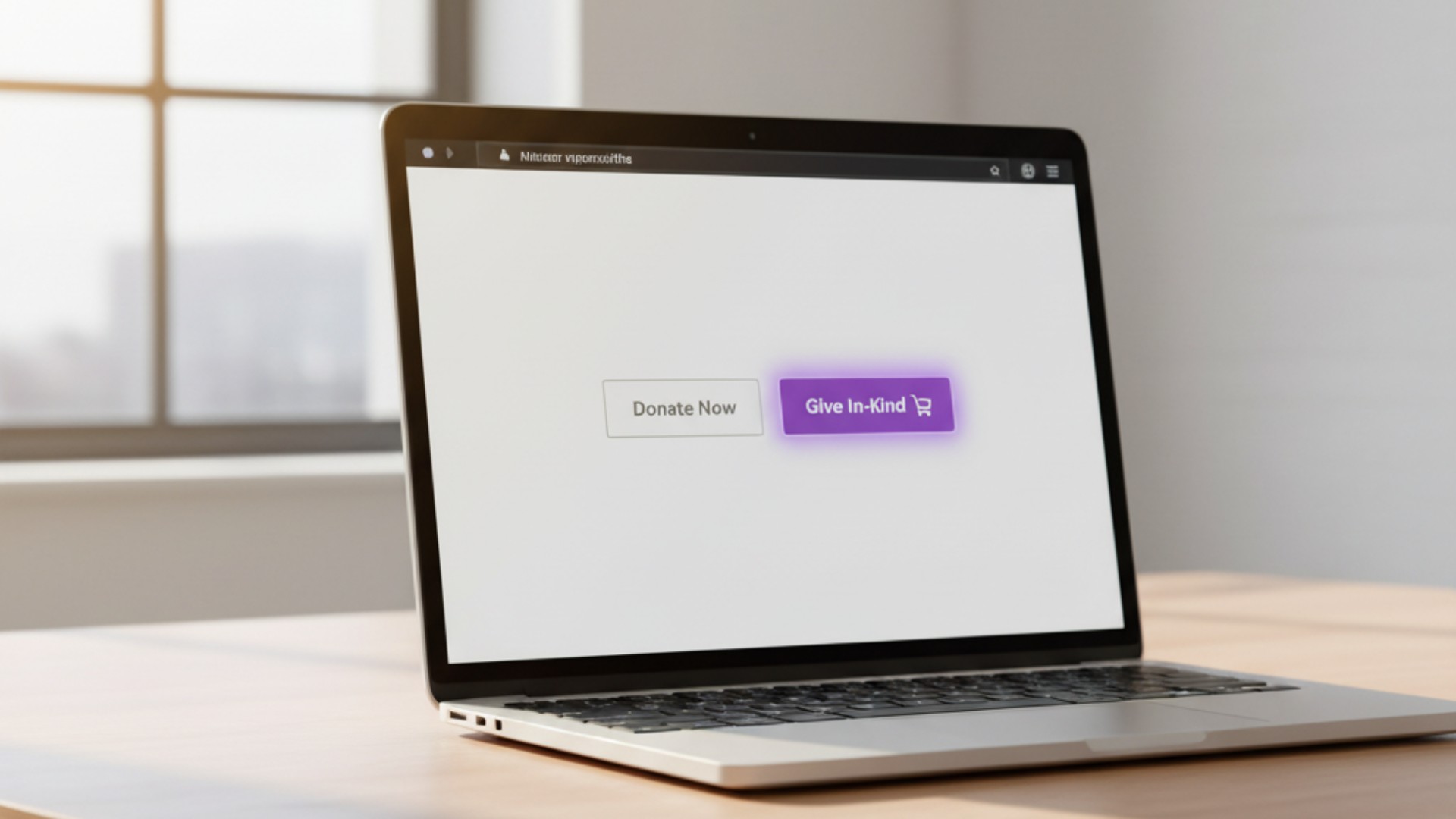
Every verified Givelink nonprofit receives access to the In-Kind Donation Button — a small embed code that places a "Give In-Kind" button on any nonprofit website, donation page, email, or digital communication. When a visitor clicks it, they land directly on the nonprofit's Givelink wishlist. When they give, they receive a delivery photo. The button is small technically. What it does for nonprofit websites is not small. Here's how nonprofits use it, what the data shows, and what makes it a materially different giving option than a standard "Donate" button.
What the In-Kind Donation Button is
The In-Kind Donation Button is an HTML/JavaScript embed — a few lines of code that place a styled button anywhere on a nonprofit's digital presence. When clicked:
- The donor is taken to the nonprofit's live Givelink profile
- They see the current, specific wishlist with item-level detail
- They give from the wishlist or use SmartPick
- They receive a delivery photo within 2–3 weeks
The button can be styled to match the nonprofit's branding. It can be placed on:
- The "Donate" or "Give" page alongside a cash donation form
- Email newsletters and donor stewardship communications
- Social media link-in-bio destinations
- Event registration confirmation pages
- Annual report digital versions
What it does differently from a standard donate button
A standard "Donate Now" button takes visitors to a cash donation form. The experience: enter amount, enter card, receive receipt. The visitor knows how much they gave but not what it became.
The In-Kind Donation Button takes visitors to a specific wishlist. The experience: see exactly what the organization needs, choose items or use SmartPick, complete checkout, receive delivery photo. The visitor knows exactly what their giving produced before they finish the session.
Two specific differences:
Specificity at the moment of decision. The wishlist provides item-level context before the gift is made — not after. The donor who sees "50 toothbrushes needed for our hygiene closet" is making a fundamentally different giving decision than one who sees a blank donation amount field.
Proof after the gift. The delivery photo completes the loop. The button doesn't just change the first experience — it connects the giving act to a two-week-later proof moment that the standard donate button never produces.
How nonprofits are using it
Use 1: Side-by-side with cash donation form The most common placement: the Donate page has two options. "Give Cash" links to the standard donation form. "Give In-Kind" is the In-Kind Donation Button. Nonprofits using this configuration report that 35–50% of website donors who engage with the giving options choose the in-kind path when the wishlist is specific and recently updated.
Use 2: Primary giving call-to-action in email Nonprofits that use the In-Kind Donation Button as the primary giving CTA in stewardship emails (rather than linking to a generic donation form) report higher click-through-to-give rates. The specific items in the linked wishlist give donors a reason to click that a generic "donate" link doesn't provide.
Use 3: Impact report linking Annual reports and quarterly impact updates that include the In-Kind Donation Button (linked to the current wishlist) convert readers to donors at higher rates than those that link to a generic donation form. Readers who just consumed the impact report are primed for specific giving.
Use 4: Event confirmation follow-up Nonprofits that host fundraising events include the In-Kind Donation Button in the event confirmation email and the post-event thank-you. Attendees who couldn't make it to the event financially can still participate through the wishlist.
The data: what the button changes
Nonprofits that have tracked website conversion rates before and after adding the In-Kind Donation Button report:
- Overall Donate page conversion rate: Typically unchanged — the button doesn't reduce cash donations
- Total unique donors from Donate page: Increases 15–25% — the button attracts donors who prefer product-specific giving and weren't converting on the cash form
- First-time donor retention (button-acquired): 36–42% — consistent with the Givelink platform average and significantly above the sector's sub-20%
- Average giving frequency (button-acquired): 2.5 events/year — consistent with the platform average
The most significant finding: the In-Kind Donation Button adds donors rather than substituting for cash donors. The two giving paths serve different donor preferences and together produce a higher total unique donor count than a cash-only form.
Technical implementation
Implementation requires access to the nonprofit's website CMS or a developer who can add a few lines of code. Specific implementation guides are available in the Givelink nonprofit dashboard.
For nonprofits on website platforms with limited code access (Squarespace, Wix, etc.), a linked image button is an alternative — an image that links directly to the Givelink profile when clicked. Less seamless but functionally equivalent.
Contact contact@givelink.app for implementation support.
Why this matters for nonprofit websites
Most nonprofit donation pages are optimized for cash conversion — the metric is "click → completed donation." Transparent giving adds a second path: "click → wishlist → specific items → completed donation → delivery photo." This second path serves donors who need specificity and proof before they convert, and it retains them at significantly higher rates than the cash path.
The button is small. The giving culture change it supports is not.
Frequently Asked Questions
How do I get the In-Kind Donation Button for my nonprofit?
The embed code is available in your Givelink nonprofit dashboard under "Tools & Embed." Copy the code and add it to your website alongside or instead of your standard donate button.
Does adding the In-Kind Donation Button reduce cash donations?
In the organizations that have tracked this, cash donation volume is unchanged after adding the button — the in-kind path attracts additional donors who weren't converting on the cash form.
Can we customize the button's appearance?
Yes — the button can be styled to match your organization's brand colors and typography. See the implementation guide in your Givelink dashboard.
Does the In-Kind Donation Button work on mobile?
Yes — the button and the Givelink profile it links to are both mobile-optimized.
Add one button. Add a giving path. Watch the proof come back.
Log into your Givelink dashboard and get the embed code.
Stay Human.
Alexandros Karagiannis is CTO and Co-Founder of Givelink.
See also
What is Givelink?
Learn from the founders:
Support a nonprofit
Buy their needs