
resource
How to Run a Donation Drive That Actually Works in 2026
Most donation drives create more sorting work than they solve. Here's the structure that produces specific goods, named donor relationships, and a drive that compounds year over year.
Antonis Politis |
How to Run a Donation Drive That Actually Works in 2026
Most donation drives create more sorting work than they solve. Here's the structure that produces specific goods, named donor relationships, and a drive that compounds year over year.
Every year, thousands of nonprofits run donation drives. And every year, the same problems repeat: boxes of mismatched goods arrive at the wrong time. Staff spend hours sorting items that don't match current program needs. The drives produce surpluses of glue sticks and no backpacks. Donors give once and are never heard from again because no one captured their information. By the time the drive ends, the staff has spent more hours managing it than the goods are worth — and starts from zero again next year. A donation drive that actually works looks different: specific goods in the quantities needed, organized delivery, named donor relationships captured, and a structure that gets easier every year because the same donors come back. Here is how to build one.
Key Takeaways
- Generic drives produce mismatched goods — up to 40% of uncoordinated donated goods are discarded as unusable.
- Specific wishlists eliminate sorting chaos — donors give what was asked for, in the quantities specified.
- Donor data is the difference between a drive that compounds and one that starts from zero annually.
- Photo confirmation is the retention mechanism — donors who see their drive gift arrive give again at nearly 3× the sector average rate (Givelink data, 2026).
- A well-run drive takes ~5 minutes to set up on Givelink and runs on autopilot with biweekly delivery.
The anatomy of a drive that creates problems
The classic donation drive structure is a collection model: set up a bin or a flyer, tell people to bring items, and see what arrives. It has three structural flaws that compound:
Flaw 1: No specificity. "Bring school supplies" produces 200 glue sticks and no backpacks, because glue sticks are what people have in a drawer. The organization's actual need — grade-specific backpacks with complete supply sets — is never communicated in a way that matches donor behavior to organizational need.
Flaw 2: No donor data. Someone drops items in a bin. You receive the goods. You never know who gave them. You can't thank them by name, can't build a relationship, can't reach out before next year's drive. Every cycle, you start from scratch.
Flaw 3: No impact confirmation. The donor never sees what happened to what they gave. The impact loop stays open. Without confirmation, a donor's next decision is likely to give somewhere more visible — not your drive, next year.
"Kindness has become a transaction. The only transaction where the one who pays never sees what they bought."
The seven-step structure for a drive that works
Step 1: Publish a specific wishlist — not a category
Replace "school supplies needed" with an itemized list:
"32 backpacks (elementary K-5), 200 wide-ruled notebooks (grades 3-8), 45 scientific calculators (grades 6-12), 150 #2 pencil boxes, 60 glue sticks, 35 pairs of scissors."
Specific quantities. Specific grades. Specific items. This is what Givelink wishlists are built to communicate — and it's what transforms random collection into organized fulfillment.
When donors see a specific item with a specific quantity, they can give exactly that. The matching problem disappears.
Step 2: Go online — not just offline
A physical bin captures whoever walks by. An online wishlist captures anyone who wants to give from anywhere. Your donors include parents in the suburbs who won't drive to your facility, corporate employees who want to organize a group campaign, giving circles looking for a collective project, and out-of-state relatives of your clients.
All of them can give through an online wishlist. None of them can participate in a bin drop-off.
Step 3: Capture every donor's name and email
This is the step most drives skip — and it's the reason most drives start from zero every year.
When a donor gives through Givelink, their name and email are captured automatically and made available to your nonprofit's CRM export. Before the drive ends, you have a named list of everyone who gave. After the drive ends, you have the starting point for next year's campaign.
A drive that captures 120 named donors in year one has a warm re-engagement list for year two. A bin drop-off drive has no one.
Step 4: Coordinate delivery — don't sort on receipt
The operational cost of an uncoordinated drive is mostly sorting. Boxes arrive at unpredictable intervals. Items are mixed. Staff interrupt program delivery to process donations.
Givelink's biweekly fulfillment cycle delivers organized batches of exactly the items on your wishlist, at a predictable time, in a form your staff can process in minutes. No sorting. No surprises. No operational interruption.
Step 5: Photograph what arrived
This is the step that turns a one-time drive into a repeating relationship.
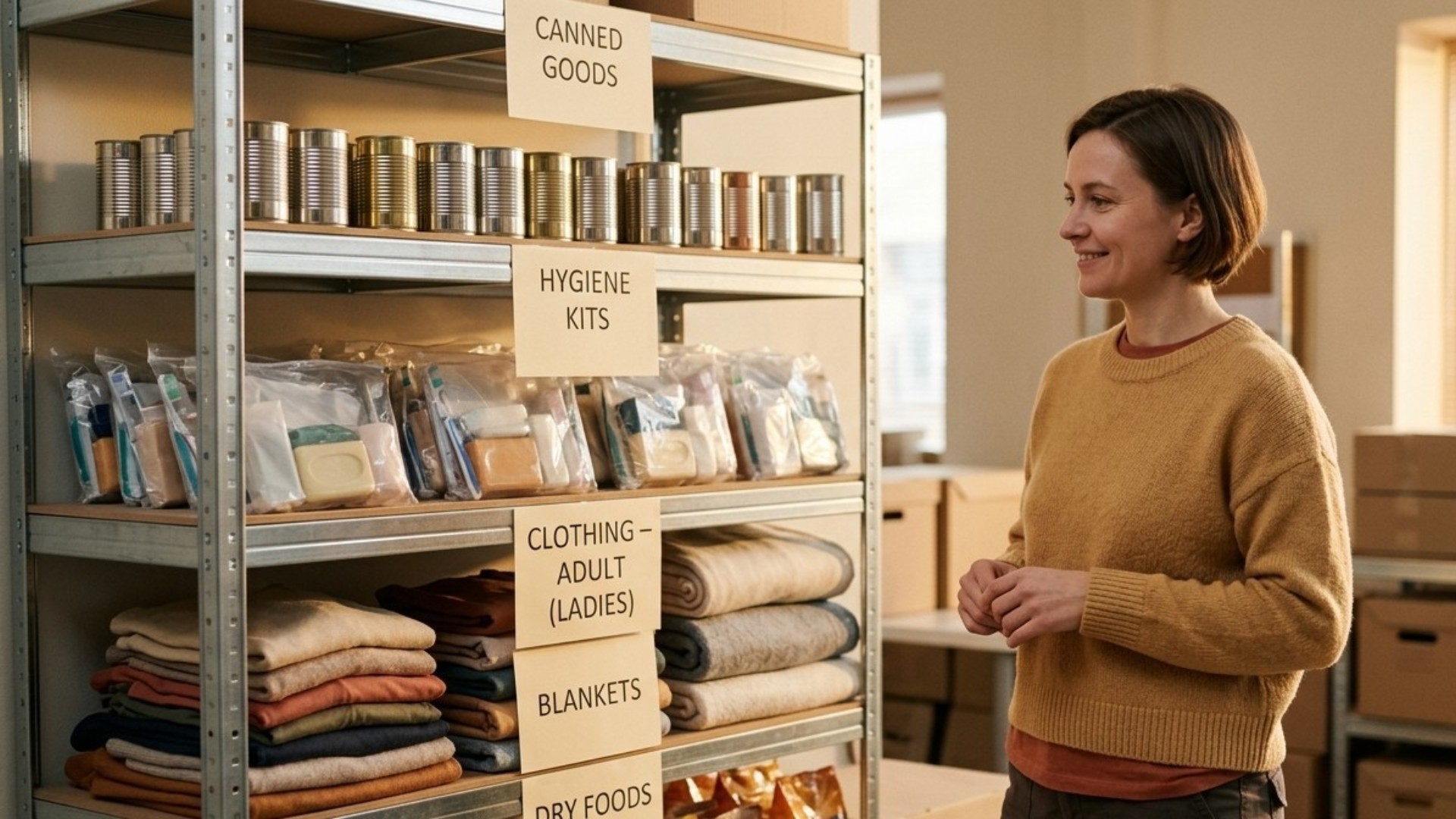
When the delivery arrives, have someone photograph it — organized on a table, sorted by item type, labeled if possible. Upload the photo through Givelink. Every donor who contributed receives it within 14 days.
The photo does four things:
- Confirms to donors that the drive worked
- Shows the specific items they gave, in the nonprofit's space
- Creates an emotional connection that motivates the next gift
- Generates shareable content for your social media and newsletter
Step 6: Send a personal re-engagement 30 days later
Thirty days after the drive delivery photo goes out, contact every named donor from your CRM export:
"The backpacks you gave are being distributed to students at [school partner] this week. We're already planning our spring supply drive and would love to have you involved. The wishlist goes live [date]."
This is not a generic solicitation. It is a specific follow-up to a specific action with a specific outcome. Open rates for this type of email are 2–3× higher than generic newsletters.
Step 7: Set the next drive's dates before this one ends
The drive that compounds is the one with a calendar. Before your current drive closes, publish the date of the next one. Send it to every donor who participated. Put it in the photo confirmation email.
Donors who already gave are your warmest prospects for the next campaign. Give them a reason to save the date before they forget you existed.
What a well-run drive looks like in numbers
A Givelink-run back-to-school drive for a Bay Area youth nonprofit in 2026:
- Drive duration: 6 weeks
- Wishlist items: 8 specific items with quantities
- Donors acquired: 87 named donors
- Delivery batches: 3 biweekly deliveries totaling 312 items
- Photo confirmations sent: 87 donors received the delivery photo
- 30-day re-engagement response: 34 donors (39%) contributed to the next drive
- Year-over-year growth: Second-year drive started with 87 warm contacts vs. 0
The drive compounds because the donor list compounds.
Setting up a donation drive on Givelink
- Create your free nonprofit profile — 5 minutes
- Build your wishlist — specific items, specific quantities
- Share your Givelink profile URL as the drive's giving link
- Embed the In-Kind Donation Button on your website's drive page
- Receive biweekly organized deliveries
- Photograph and upload delivery confirmation
- Export donor list to CRM for re-engagement
No setup fee. No contract. No minimum. Your first drive can launch today.
Frequently Asked Questions
How do you run a successful donation drive for a nonprofit?
Publish a specific wishlist with exact items and quantities (not general categories), go online to reach donors beyond your local area, capture every donor's name and email, coordinate delivery in organized batches, photograph what arrived and send the photo to donors, and re-engage the donor list 30 days later with the next drive's date.
What makes a donation drive effective?
Specificity, donor data capture, and impact confirmation. Generic drives produce mismatched goods and anonymous one-time donors. Specific wishlist drives produce exact goods and named donors you can re-engage year over year.
How do nonprofits get donor data from donation drives?
Through an online giving platform like Givelink, donor names and emails are captured automatically on every transaction and available for CRM export. Physical bin drives or Amazon Wishlist drives provide no donor data.
How do you make a donation drive repeatable?
Capture donor data during the drive, send photo confirmation when goods arrive, and contact donors 30 days later with the next drive's date. A drive with a named donor list compounds annually; a bin drive starts from zero every time.
How long does it take to set up a donation drive on Givelink?
About 5 minutes to create a nonprofit profile and build an initial wishlist. No contracts, fees, or minimums. Your drive can accept donations immediately after setup.
Build a drive that gets easier every year
Set up your free Givelink nonprofit profile and run your first specific, photo-confirmed, donor-capturing drive this season.
Stay Human.
Antonis Politis is CEO and Co-Founder of Givelink.
Διάβασε επίσης
Τι είναι η Givelink;
Άκου από τους ίδιους τους ιδρυτές:
Στήριξε μια οργάνωση
Κάνε τα ψώνια που χρειάζεται, online!